Billable vs Non-Billable Client Expenses: A Guide for Consulting Firms
For consulting firms, the management of client expenses is critical to ensuring project profitability. From traveling to the place where a client works to renting accommodation and transportation expenses, the cost of software and project materials can be a considerable expenditure. However, not all the expenses a consulting firm has can be recovered through charges. To find out what expenses can be recovered, it is necessary to take into account contract terms, expense classification, approvals, supporting evidence, and invoice preparation. The use of expense management software will help you manage the process effectively.
For consulting partners and project accountants, there is an easy-to-follow approach to the automated expense management that will help you ensure better visibility of expenses starting from the moment an expense is incurred and ending with its appearing in the client invoice.
Understanding Billable Client Expenses
Billable expenses are those expenditures that the consulting firm has during a project, which the contract permits the recovery from a client.
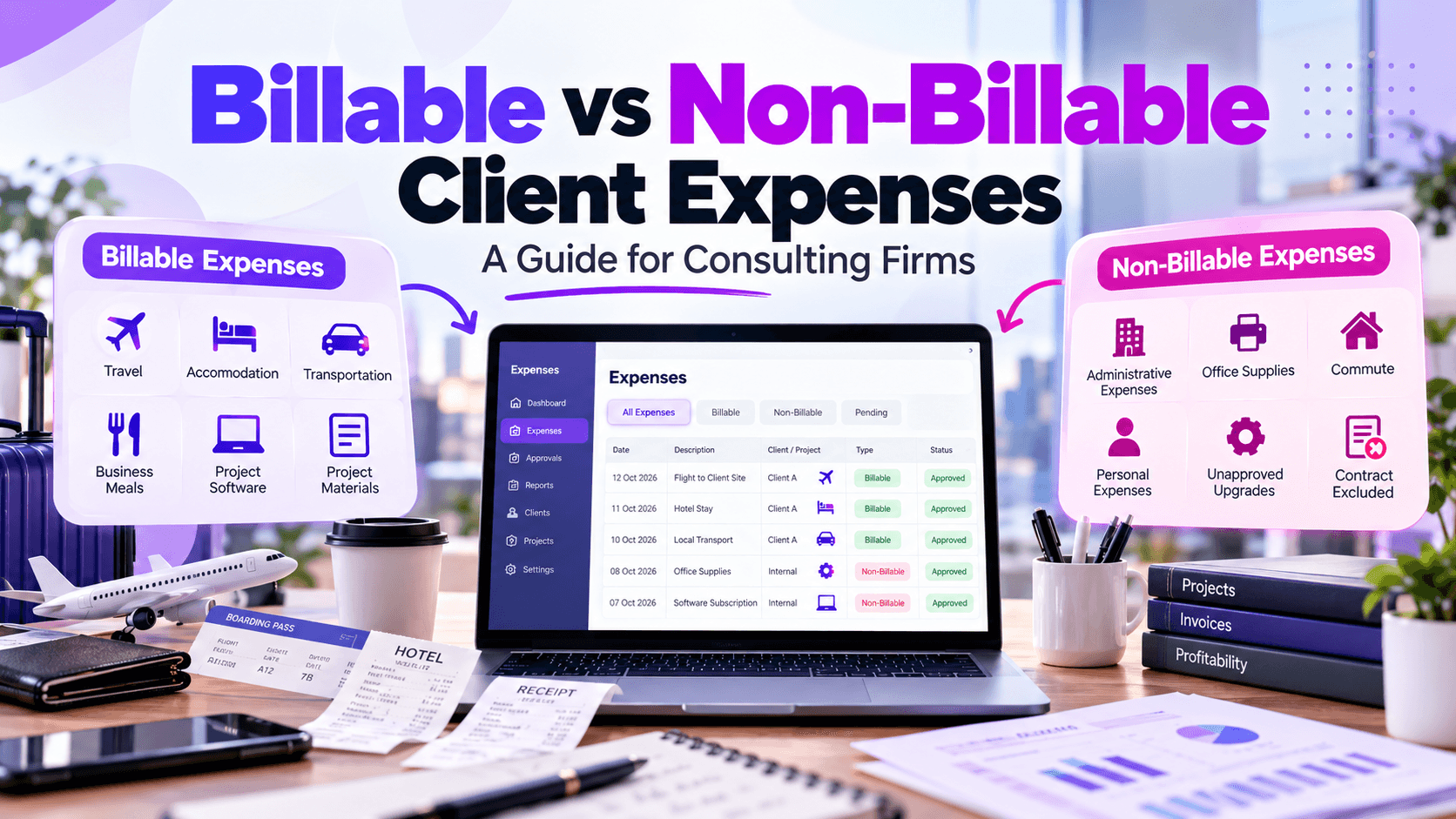
These include, for example, approved business travel, hotel, accommodation, transportation to a client, business meals, project-specific software, printing, and other project materials.
However, not all expenses related to a client will become billable. The contract must define which expenses qualify as billable and what spending caps and documentation requirements exist.
Classification becomes much easier when using expense management software that takes into account the contractual criteria. The company may also use expense tracking software for small businesses to establish consistency as its project volume increases.
Understanding Non-Billable Client Expenses
Non-billable expenses are expenses that cannot be billed to the client and remain internal to the firm.
Such expenses may include:
- Administrative expenses
- Office supplies
- Commute
- Personal expenses
- Upgrades not approval by the client
- Expenses excluded by the client contract
Incorrect classification might harm project margins. A billable expense may slip through the cracks, while an expense that should be paid internally ends up on the invoice.
Classification of expenses with the help of expense management software workflow will help distinguish billable and non-billable expenses before preparing an invoice.
Contract Guidelines Must Dictate Expense Classification

The client contract should be the starting point for expense classification.
Project accountants will need to consider eligible expense categories, budgets, approval requirements, markups, documentation, billing frequency, taxation, and exclusion.
A straightforward workflow would be:
- Contract → Business purpose → Approval → Supporting evidence → Classification → Invoice
Automated expense management will enable application of predefined policies to submitted expenses. It will reduce the volume of manually reviewed expenses by the finance teams.
By implementing expense report automation, consulting firms will standardize expense submission by their employees for various projects and clients.
Supporting Evidence for Billable Expenses
Documents play a key role in recovering client expenses. Firms will keep copies of the receipts, supplier invoices, transaction dates, amounts, currencies, employee identification, client references, project code, business purpose and approval.
The lack of documents may delay the invoice creation process or result in rejection of the expense by the client.
Expense management software will help consolidate all the necessary receipts and documents, leaving behind a solid audit trail. Expense report automation will also prompt the employees to complete the missing information in their reports before they will reach the accounting teams.
Use of SME expense management implies that digital receipt documentation can decrease the administrative effort spent on paper receipt and recordkeeping management.
Mapping Expenses to Client Invoicing
There is a need to map expenses to invoices. Here is how the process could look like:
- Expense incurred → Submission → Approval → Accounting review → Billable classification → Documentation check → Invoice preparation → Client billing
The use of automated expense management could link these stages and allow accounting personnel to discover which expenses are eligible before creation of invoices.
The provision of clear descriptions of expenses on invoices is also crucial. Instead of the general project-expenses description, the separate ones could be used for approved travel expenses, accommodation, transport, or project-related expenses.
Issues of Spreadsheets-Based Expense Management
Spreadsheets could be used by small firms; however, as consulting firms start to hire employees, perform projects, and get more clients, their management becomes more complicated.
The issues with spreadsheet expense tracking include duplicated data, lack of receipts, wrong project allocation, manual calculation, delayed approvals, issues with version management, and difficulty with identification of billable expenses.
In addition, spreadsheet-based problems with expense tracking can also lead to lost client charges since finance professionals may waste time comparing spreadsheets, emails, receipts, and accounting information.
Switching to expense management software will give you a unified place to keep expense information and increase visibility across all projects.
Ways In Which Expense Management Software Enhances Control
Modern expense management software is able to provide a range of functions such as digital receipts, automated categorization, project tagging, approval workflows, policy enforcement, billable classification, duplicates detection, reports generation, and accounting integration.
The best expense management software for a consulting organisation should meet specific project structure and billing needs.
In case of a smaller organization, expense tracking software for small business might be enough to keep the organization expenses structured in an easier manner.
The Role of Expense Report Automation
Expense report automation decreases the amount of routine activity involved for employees, managers, and accountants.
Employees are able to upload their receipts electronically, while the automation workflow takes care of routing expenses to the right people. Missing receipts, errors in the use of the project code, policy violations, and even billable expenses can be detected.
In the case of expense report automation, accounting staff spends less time collecting data and more time on evaluating expenses and creating invoices.
As consulting organisations expand, automated expense management may give the company more uniformity in departmental and client-project procedures.
SME Expense Management for Growing Consulting Firms
Effective SME expense management does not necessarily imply complex procedures.
Young companies can start with standardized expense categories, digital receipts, approval procedure, project codes, and regular reconciliation. Expense tracking software for small businesses can be used to facilitate this process.
As the volume of transactions grows, companies can gradually implement additional automated expense management functions such as automated approvals, policy enforcement, integration with accounting, and reporting.
This approach allows businesses to increase the level of financial discipline while maintaining manageable administrative processes.
Billable and non-billable expense management significantly impacts consulting revenues and client relations.
Having a dependable system means being able to link contract agreement, categorization of expenses, approval processes, documentation, and invoicing. An expense management system could do all of this and minimize the number of issues of using spreadsheets for expense management.
Using automatic generation of expense reports, automated expense management, and efficient expense management for SME consulting companies can benefit from expense management visibility, less manual tasks, and more captured client expenses.
Whether a company needs small business expense tracking software for a more sophisticated system, the goal is to have an expense management process that is dependable and helps secure revenues, proper invoicing, and billing management.