
Building an Expense Approval Workflow That Saves Finance Teams 15+ Hours a Week
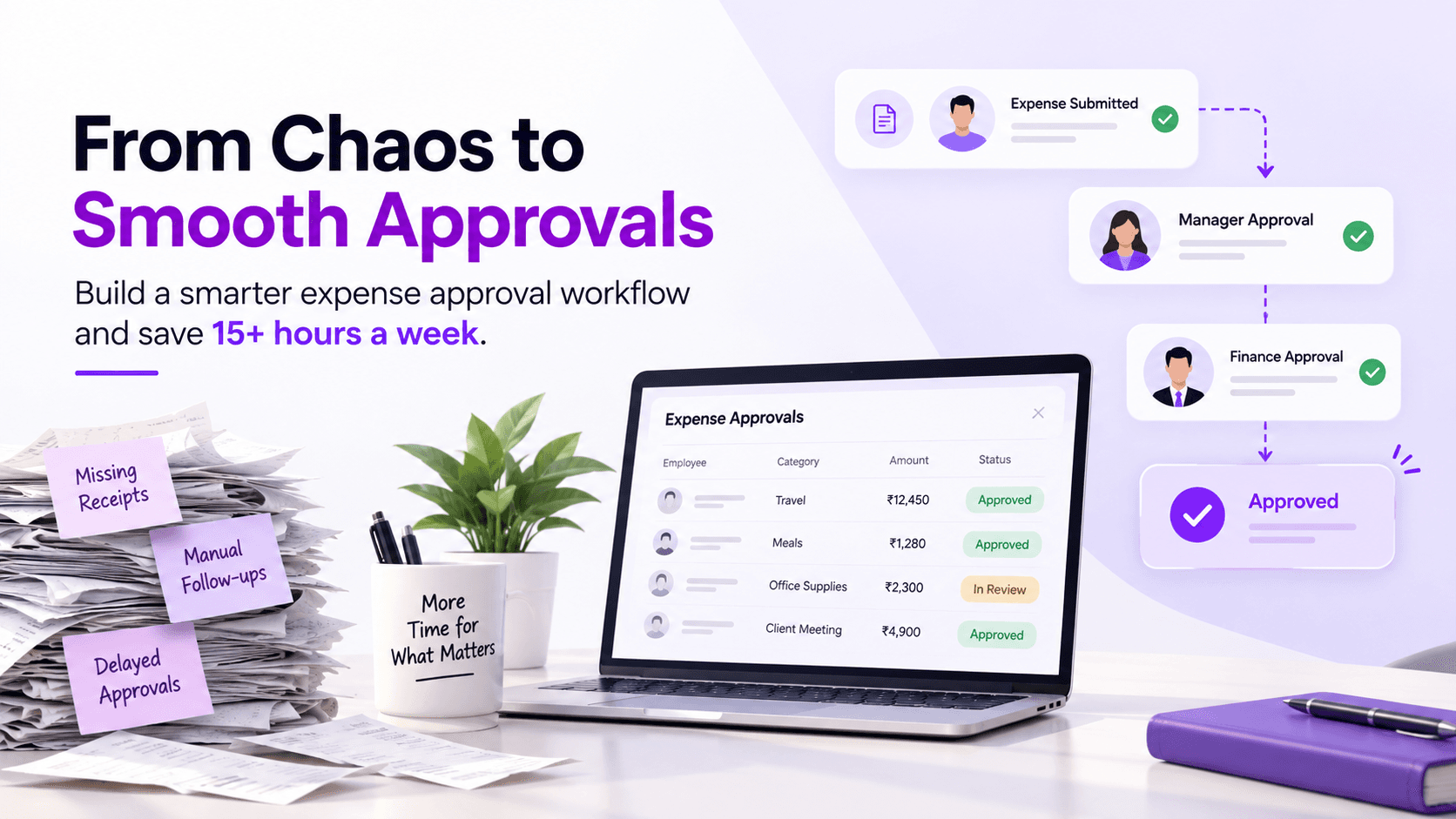
What if today is the last Friday of the month?
Your financial inbox is full to bursting point. Your managers are forwarding claims. Your employees keep on inquiring “Is there an approval for my claim?” Some receipts are not there, some claims have been double forwarded, and some approvals are pending because the concerned manager is on vacation.
While all this is happening, your finance department is spending time chasing, rather than budgeting, forecasting, and strategic planning.
This is a clear case of your claim approval workflow being inefficient.
The positive side is that you do not need to expand your financial team; you need to make your approval process smarter.
In this article, we will review how organizations can develop a smart expense approval process that will save you over 15 hours per week.
Why Expense Approvals Become a Bottleneck
The process of expense approvals appears to be quite easy when there is a small number of employees in an organization.
- An employee files for an expense claim.
- It is approved by a manager.
- Finance handles the process of reimbursement.
However, as the organization grows, so does the level of complexity.
- Various departments have various spending limits.
- High-value expense claims are approved by senior managers.
There are different rules for travel expenses and office expenses.
A lack of an expense approval process means that finance spends many hours on manually routing the claim and sending reminders.
What should take just minutes and days ?
The Real Costs of Manual Approvals
Not only does the manual approval process delay reimbursement; it affects the whole company.
The typical issues are:
- Managers forgetting to approve the claims
- Finance departments chasing for approvals
- Employees constantly checking on their approval status
- Duplicates or incorrect approvals
- Delay in payment due to missing receipts
- Making month-end reconciliation harder
It’s hard to reduce manual approvals as the company grows.
What Does a Modern Expense Approval Workflow Look Like?

The modern expense approval workflow is one that is automated as opposed to being email and spreadsheet driven.
Rather than having to make manual decisions about who to approve a claim through, the process automatically directs the expense using pre-defined business rules.
These business rules may include:
- Department of employee
- Employee’s reporting manager
- Category of expense
- Cost center
- Project code
- Business location
- Claim amount
Step 1: Identify your current approval process
In order to understand where the automation process could fit into your system, identify how approvals currently operate.
Some questions you should ask include:
- Who is making the expense request?
- Who is approving the expense request?
- What expenses need senior approval?
- Where are hold-ups common?
- Which approvals cause the most confusion?
By mapping your existing expense approval process, you will come to know about repetitive activities that you should automate.
Step 2: Define Approval Rules Rather Than Emails

Rather than expecting your employees to manually forward expense reports, it’s better to establish approval rules.
Example of Approval Rules:
Expense CategoryApprovers Less than ₹5,000Reporting Manager₹5,001-₹25,000Departmental HeadMore than ₹25,000Finance Head & CFOInternational TravelFinance Head & Business HeadCapital ExpenditureFinance Director
This multi-level approval process prevents any confusion while also ensuring consistent decision-making.
Step 3: Implement Automated Approval Workflow
One of the key improvements that can be made is to use an automated approval workflow.
Instead of needing to have the approver assigned manually by somebody, the software will automatically route the expense to the correct approver.
This brings a number of benefits, including:
- No need for manual reassignment
- Faster approvals
- Less email back and forth
- Better approval tracking
- Increased accountability
A smart automated approval workflow keeps expenses moving without constant intervention.
Step 4: Build Expense Policies into the Workflow
Policies should never rely on memory.
An effective expense policy enforcement system automatically checks every claim before approval.
Examples include:
- Daily meal limits
- Hotel reimbursement caps
- Travel class restrictions
- Required receipts
- Mileage limits
- Duplicate receipt detection
An intelligent workflow process ensures that spending does not grind to a halt because of continuous monitoring.
Step 5: Create Policy Checks in the Workflow Process
Policy checks should never be dependent upon memory.
The best way for an expense policy to be enforced is through an automatic check being made before a claim can be approved.
Examples include:
- Daily meal allowances
- Hotel allowance
- Class travel limits
- Receipts required
- Mileage restrictions
- Repetition of receipts
Updates in real-time are provided to the employees, thus saving follow-up emails for the finance team.
Step 6: Implement Real-Time Dashboards
A contemporary process of expense approval should not be a black box.
Finance management should always be aware of:
- Approvals pending
- Average time of approval
- Expenses per department
- Bottlenecks in approvals
- Policies that have been breached
The aforementioned observations contribute to the improvement of finance workflow automation and decision-making.
Signs That It Is Time for an Upgrade of Your Approval Workflow
If you have heard any of these before, it’s time to update your process of approvals:
- Employees often ask for information about the reimbursement status.
- Managers give their approvals for expenses via email or chat applications.
- Finances record approvals manually using spreadsheets.
- Approvals at the end of the month require several days.
- Reimbursements may be issued for duplicate claims.
- Policy violations are identified after the expense is paid out.
- Hours are wasted following up on approvals by finance teams.
An automated expense approval workflow solves all of these problems.
Advantages of Automating Expense Approval Workflow
Transitioning from manual processes to automation brings immediate advantages:
- Faster Approvals for Expenses
Expenses go straight to the right manager without delay.
- Save 15+ Hours Per Week
Automation frees employees from performing repetitive tasks.
- Improved Compliance
The built-in expense policy enforcement ensures that all expenses comply with your company’s policies before getting approved.
- Decreased Mistakes
Automatic approval minimizes the chance of mistakes such as double claiming, wrong approvals, and missing documents.
- Increased Visibility
Both employees and managers can see at any moment whether their claim has been approved or not.
- Employee Satisfaction
Reimbursement of expenses is faster, which will increase employee satisfaction.
How Expendesk Helps You Create a Smart Expense Approval Workflow

Expendesk is an AI-driven expense and reimbursement management platform that gives you an opportunity to create smart approval workflows easily without complicating the administration process.
- Customizable Multi-Approval Levels
With Expendesk, you can create a multi-level approval process depending on departments, reporting structure, types of expenses, spending limits, projects, locations, and others.
All expenses automatically go through the right approval workflow.
- Intelligent Approvals Routing
Since there is integrated approvals routing software, claims will always be automatically directed to the right approvers.
This is highly useful for organizations in reducing manual approvals and speeding up reimbursements.
- Policy Enforce Through Automation
There is automated verification of claims against company policies before they are approved.
They can detect:
- Absence of receipt
- Duplicate claim
- Policies violation
- Exceeding spending limit
Automated policy enforcement minimizes risks and manual verifications.
- Receipts Management by Artificial Intelligence
Artificial intelligence automatically captures all details from the receipts that employees uploaded using mobile apps.
- Finance Process Automation
Expendesk helps organizations automate the whole process of expense reimbursement, from the submission of expenses to their approval, reimbursement, and reporting.
- Approvals Process Visibility
The finance department has full transparency into all stages of the expense approvals workflow.
- Seamless ERP and Accounting Integration
Approved expenses will be automatically updated on the accounting system.
Why Businesses Choose Expendesk
Growth-oriented businesses require not only expense management but also intelligence-based workflows that adapt to their operations.
Expendesk is a comprehensive tool combining automation of workflows with the help of artificial intelligence technology, approval settings, real-time analytics, and policy controls.
Rather than spending a lot of time performing manual approvals, finance departments can make processes more efficient.
Inefficient expense approval workflow influences not only the rate of reimbursement but also causes additional administrative efforts, slows down financial reporting, and causes dissatisfaction.
By switching from spreadsheets and emails to automated expense approval workflow, companies can streamline processes, enforce expense policies, simplify multi-level approvals, and automate finance workflows.
Using Expendesk, organizations can create intelligent approval workflows that help finance teams save up to 15 hours per week.
Time to Start Automation of Your Expense Approvals Process?
If you notice that your finance department wastes a lot of time on getting approvals, then maybe it’s time for you to change something. Try our services and see how customizable approval processes, artificial intelligence, and real-time expense tracking can improve your business finance processes and save precious time weekly.